Online Doctor Consultation Checklist: How to Prepare for a Video Visit
Prepare for an online doctor consultation with this practical checklist for reports, medicines, symptoms, technology, privacy, questions, and emergency warning signs.
An online doctor consultation can save travel and waiting time, but an uncharged phone, missing reports, poor lighting, or forgotten medicine names can waste the visit. The easiest fix is to prepare the room and the medical information before opening the call.
Fast rule: 10 minutes before the video visit, test the device, place reports and medicines beside you, write a 60-second symptom timeline, and list three questions. If the clinician needs a physical examination or urgent tests, be ready to arrange an in-person visit.
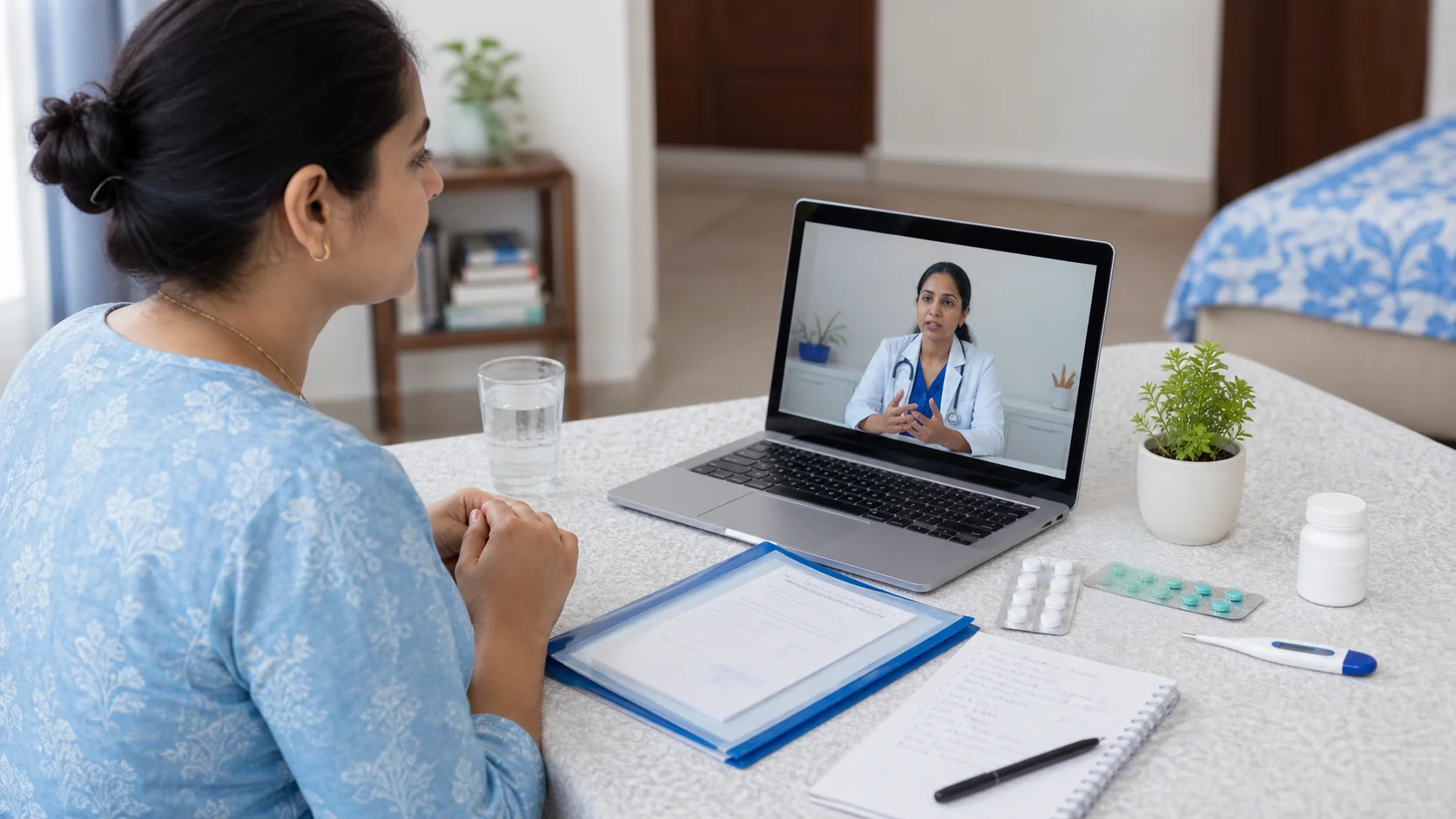
This guide is patient education, not a diagnosis or prescription. An online appointment is not appropriate for severe chest pain, major breathing difficulty, stroke-like symptoms, fainting, seizure, heavy bleeding, serious injury, blue lips, severe abdominal pain, confusion, or rapid worsening. Seek emergency care immediately. R.K. Hospital, Indrapuri, Bhopal provides 24/7 emergency support; call 0755-4260605.
What is an online doctor consultation?
An online doctor consultation is a scheduled medical conversation conducted by video or phone instead of in the same room. It can help with history-taking, report review, follow-up, and deciding the next step, but it cannot reproduce every physical examination or test. The clinician may ask you to attend in person.
India's Ministry of Health and Family Welfare publishes Telemedicine Practice Guidelines covering professional standards, patient identification, consent, privacy, and clinical judgment. The World Health Organization's telemedicine overview also explains telemedicine's role and safeguards.
Use a video visit for a planned consultation only when the hospital or clinician offers it. Do not assume that photographs, home readings, or video alone can confirm a diagnosis.
What should you prepare before an online doctor consultation?
Prepare the same medical information you would carry to OPD, plus a tested device and a private, well-lit space. Keep everything within arm's reach so you do not spend consultation time searching through messages, drawers, or photo galleries.
- current and relevant older prescriptions
- recent test reports, scans, discharge summaries, and referral note
- every current medicine or clear photographs of labels
- medicine allergies and previous serious reactions
- symptom start date, pattern, severity, triggers, and changes
- relevant temperature, blood pressure, blood sugar, weight, or oxygen readings if already measured correctly
- pregnancy status and important long-term conditions
- three questions, photo ID if requested, and pen and paper
For a complete file list, use the OPD visit documents checklist. If medicine names are scattered, make a medicine list for the doctor visit. Do not stop, restart, or change a medicine merely to prepare for the call; ask the clinician.
How do you set up the phone or computer for a video visit?
Join about 10 minutes early and test the camera, microphone, speaker, connection, and lighting. Position the device on a stable surface at eye level. A quiet room and a backup phone number make it easier to continue if the video link fails.
| Check | Best simple setup | Common failure |
|---|---|---|
| Internet | Stable Wi-Fi or strong mobile data | Moving between rooms during the call |
| Battery | Charged device and charger nearby | Starting with low battery |
| Camera | Clean lens, face visible, device supported | Holding a shaking phone too close |
| Light | Window or lamp in front of you | Bright window behind you |
| Sound | Quiet room; test microphone and speaker | TV or several people talking |
| Backup | Hospital number and regular phone available | No way to reconnect |
| Privacy | Private space and headphones if useful | Discussing personal details publicly |
Do not record the consultation without permission. Use the official link or process provided by the hospital, and avoid sharing medical documents in public groups.
How should you explain symptoms during a video consultation?
Give a short timeline first: the main symptom, when it began, where it is, how it has changed, associated symptoms, and what you have already taken. Clear chronology is more useful than a long list without dates.
- "My main problem is..."
- "It started on..."
- "It is getting better, worse, or staying the same..."
- "These symptoms came with it..."
- "I have already taken or tried..."
- "My important conditions, allergies, or pregnancy status are..."
- "The question I most need answered is..."
If symptoms change over several days, prepare a symptom diary before the doctor visit. The MedlinePlus guide to talking with your doctor recommends being honest, bringing a medicine list, taking notes, and asking questions when instructions are unclear.
Only show a rash, swelling, wound, or movement on camera if the clinician asks. Good lighting may help communication, but an image cannot replace touch, vital signs, examination, or testing when those are needed.
Which home readings are useful, and how should you share them?
Share readings only when you already have the correct device and know how to use it; include the value, date, time, and circumstances. A single number without context can mislead, and home devices do not replace clinical assessment.
Useful context includes temperature and how it was measured; blood pressure with date, time, and repeat reading; blood sugar with timing relative to meals and medicines; oxygen saturation with the patient resting, if a pulse oximeter is available; and weight changes measured on the same scale.
Do not delay urgent care to repeatedly check a device. If a reading looks concerning or conflicts with how the patient appears, tell the clinician and follow their advice about in-person assessment.
What questions should you ask before the call ends?
Ask questions that make the next step unambiguous: what to do now, whether examination or tests are needed, which warning signs require urgent care, and when to follow up. Repeat the plan back in your own words before ending the call.
- What is the next step after this consultation?
- Do I need an in-person examination or tests? How soon?
- How should I follow the prescription or existing medicine plan?
- Which warning signs mean I should seek urgent help?
- What should I monitor at home, and for how long?
- When should I follow up, and which reports should I send or carry?
The Agency for Healthcare Research and Quality encourages patients to prepare questions through its Questions Are the Answer resources. For a longer list, see questions to ask during a doctor appointment.
When is an in-person or emergency visit better than video?
Choose urgent in-person care when symptoms are severe, rapidly worsening, need physical examination or testing, or cannot be assessed safely through video. A clinician may also convert a routine video visit into an in-person review after hearing the history.
Go to emergency care now for:
- severe chest pain, pressure, sweating, fainting, or pain spreading to the arm, jaw, or back
- major breathing difficulty, blue lips, or inability to speak full sentences
- sudden face drooping, one-sided weakness, speech difficulty, severe imbalance, or sudden vision change
- confusion, seizure, unusual drowsiness, or loss of consciousness
- severe abdominal pain, repeated vomiting, a rigid abdomen, or blood in vomit or stool
- heavy bleeding, poisoning, serious injury, burns, or suspected fracture with deformity
- a child, pregnant patient, older adult, or person with heart, kidney, diabetes, or immune problems becoming rapidly worse
The CDC advises treating stroke as an emergency, including sudden weakness, speech difficulty, vision trouble, dizziness, or severe headache. For local patient guidance, read the FAST stroke symptoms guide or chest pain and breathlessness emergency guide. Do not wait for a video slot when emergency signs are present.
What is the 10-minute online consultation checklist?
Use the final 10 minutes to complete four tasks: connect the device, arrange the records, summarize the symptoms, and write the questions. This is the fastest way to make a planned video visit clearer without turning preparation into a complicated project.
- 10 minutes: open the official link and test video and audio.
- 8 minutes: place reports, prescriptions, medicines, and ID beside you.
- 6 minutes: write the symptom start date and three important changes.
- 4 minutes: note allergies, existing conditions, and relevant readings.
- 2 minutes: write three questions and invite a caregiver with the patient's consent.
- Call time: state the main problem first, listen, take notes, and repeat the plan back.
Afterward, save the prescription or written advice securely and use the after-doctor-visit follow-up checklist to organize tests, warning signs, and the next review.
How can you contact R.K. Hospital, Bhopal?
For appointment availability, departments, and location details, contact R.K. Hospital directly. The team can tell you whether an online consultation is available and whether your concern should instead be assessed in person.
Review R.K. Hospital services, browse the doctor directory, or use the contact page. For urgent help, call 0755-4260605. Severe or rapidly worsening symptoms need emergency care, not a delayed online appointment.
When the concern is visible or changes between episodes, prepare clear images using the symptom photo guide for a doctor appointment and ask the clinic which secure channel it accepts.
Frequently Asked Questions
What should I keep ready for an online doctor consultation?
Keep recent prescriptions and reports, a medicine list, allergy details, a symptom timeline, relevant readings, three questions, and a reliable phone or computer connection ready.
How early should I join a video consultation?
Open the link about 10 minutes early to test the camera, microphone, internet connection, and lighting. Keep the phone charged and save the hospital number in case the connection fails.
Can every health problem be assessed by video consultation?
No. A clinician may advise an in-person examination or tests. Severe chest pain, major breathing difficulty, stroke-like symptoms, fainting, seizure, heavy bleeding, serious injury, or rapid worsening need urgent in-person care.
Can a family member join an online doctor visit?
Yes, with the patient's permission. A family member can help describe the timeline, show medicines and reports, operate the device, take notes, and repeat the follow-up plan.
Read Next
- Doctor Consultation Preparation Checklist: Reports & QuestionsGeneral Health · 13 min read
- Medical History for Doctor Visit: What Patients Should Tell Before OPDGeneral Health · 11 min read
- Doctor Visit for Multiple Health Problems: A Priority ChecklistGeneral Health · 10 min read
- New Diagnosis Doctor Appointment: Questions to Ask and What to BringPatient Guide · 9 min read
- 25 Questions to Ask Your Doctor During an AppointmentGeneral Health · 12 min read
Need a Doctor in Bhopal? Talk to R.K. Hospital
This article is for general information only and does not replace a consultation. Call, WhatsApp, or walk in 24x7 at R.K. Hospital, Indrapuri, near Bima Hospital.
226, C-Sector, Indrapuri, Raisen Road, Bhopal (M.P.) 462022 · Directions & timings · 24x7 Emergency